Feeling vulnerable online? Hackers may be very annoying, particularly for those who own websites. However, what if you could protect your website without going bankrupt?
Open source security testing tools are your secret weapon! These free resources scan your website for weaknesses and mimic hacker tactics to test its defenses.
Think of them as a security guard and an ethical hacker rolled into one – constantly on watch and battle-testing your defenses.
Let’s explore the best tools to fortify your apps. Keep reading for your free security toolkit!
What are open source security tools?
Open source security tools are software programs designed to identify and address vulnerabilities in your website, applications, or networks. Unlike proprietary software, these tools are free to use, modify, and distribute. This makes them an ideal choice for businesses of all sizes, especially those looking to enhance their cybersecurity without a hefty price tag. You can check out our security testing services if you want to avoid this tools and leave everything to us.
Key Features of Security Testing Tools
These tools are free, making them accessible for startups and small businesses.
A large community of developers continuously updates and improves these tools, ensuring they stay effective against the latest threats.
Since the source code is open, anyone can inspect it for security flaws, enhancing trust and reliability.
You can customize the tools to fit your specific security needs.
By leveraging these freely available security tools, you can proactively protect your digital assets, ensuring your website and applications remain secure against cyber threats.
Open-Source Security Testing Tools
In this section, you will get all the information you need to know about the security testing tools. Let’s start with OWASP, the tool on the top!
One important thing, you have to explore the tool by yourself to know its capabilities and functionalities.
OWASP ZAP (Zed Attack Proxy)
OWASP ZAP is one of the most popular open source security tools, designed for finding vulnerabilities in web app testing.
Here, we can save the session if we want. For that, you have to select the second option and choose the location and name of the session. Or you can select the first option which will save your session in the default location with the current timestamp as a name.
3. Use the spider tool to crawl your website.
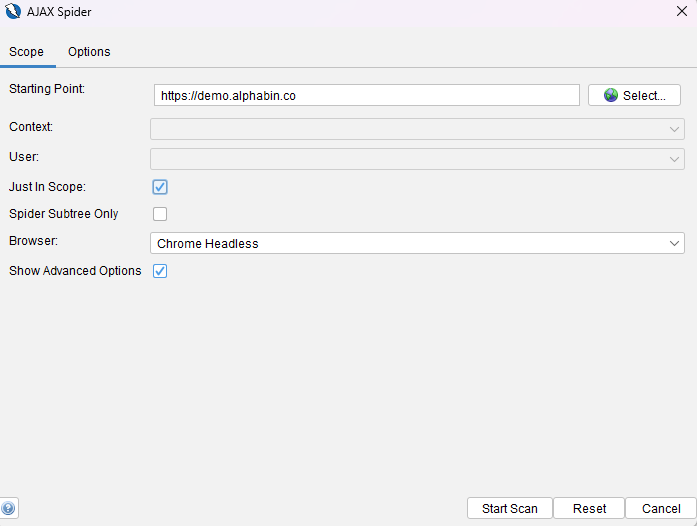
AJAX Spider is the tool that can crawl your website from surface to scratch. It’s a very powerful spider for security testing tools and very powerful for website scrapping.
4. Run active and passive scans to identify vulnerabilities.
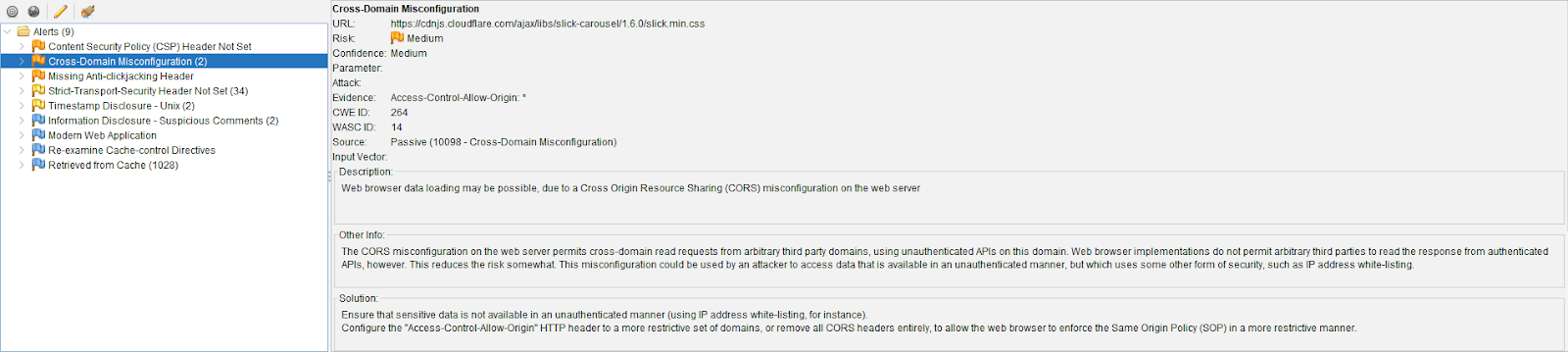
Here, you can see the scan results of the website demo.alphabin.co in the below image. Providing severity level-wise alerts on the site.
Metasploit Framework
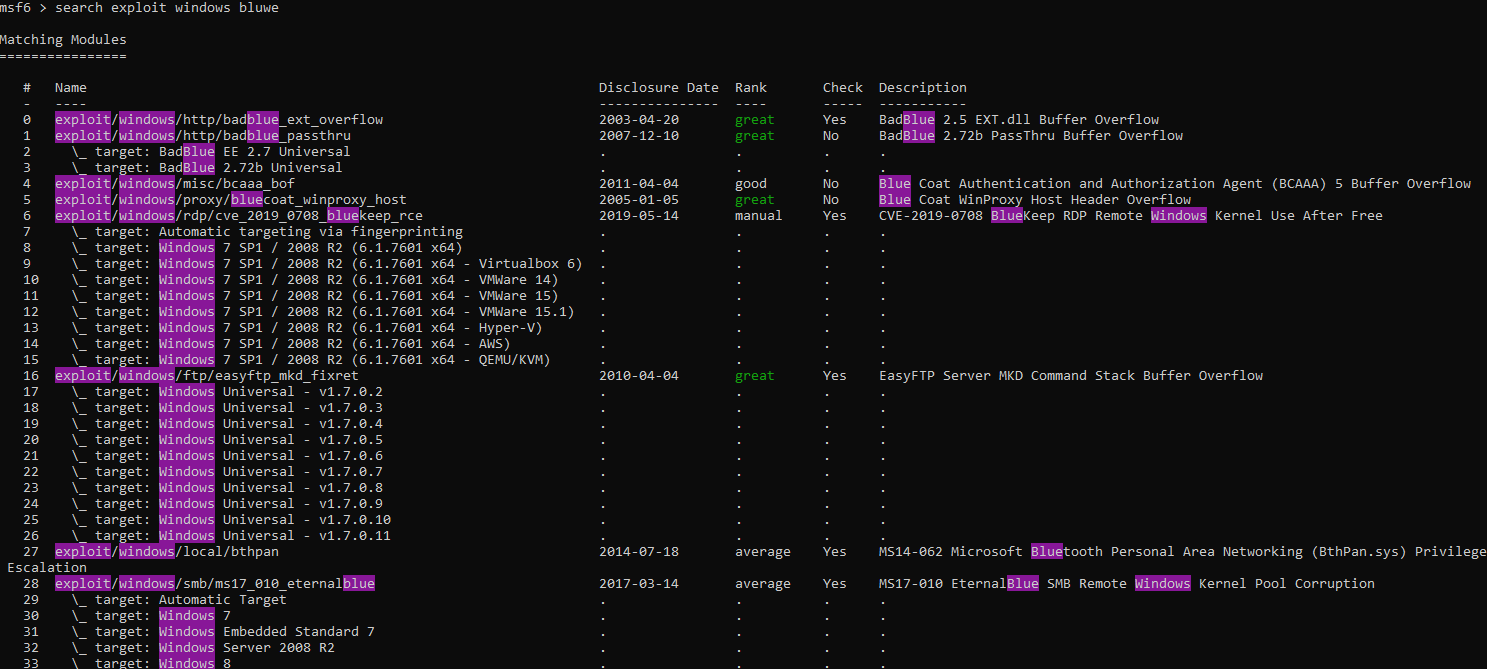
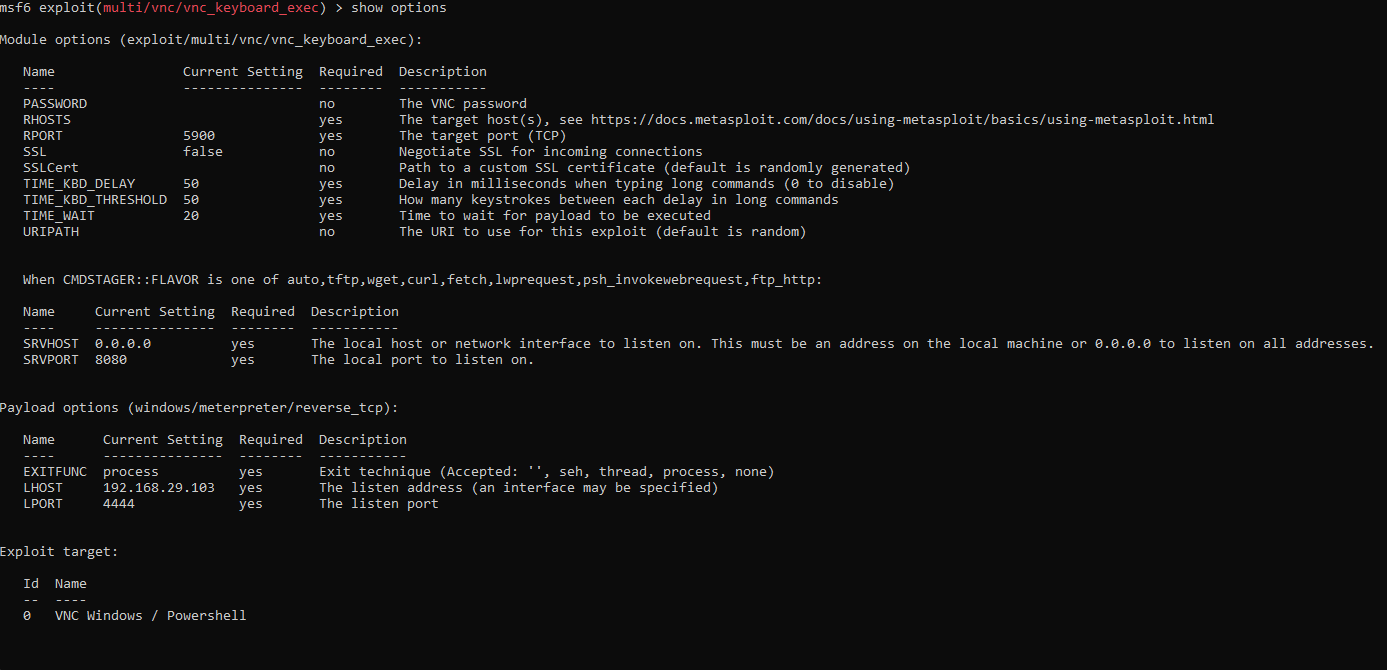
Metasploit is a powerful penetration testing tool used for exploiting security vulnerabilities.
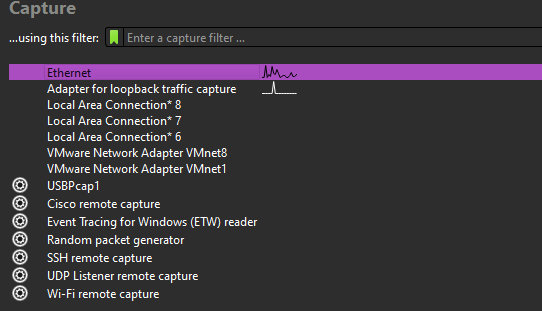
Here, we will capture the network traffic on the Ethernet.
3. Use filters to focus on specific traffic.
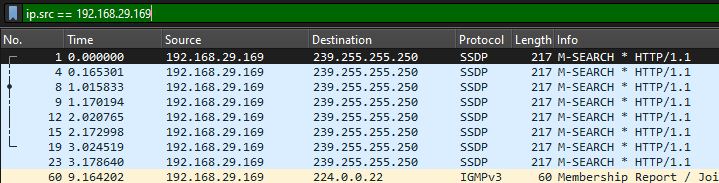
As you can see we have applied the Source IP address filter usingip.src == 192.168.29.169.
4. Analyze the captured data for anomalies or vulnerabilities.
Burp Suite Community Edition
It is a popular web vulnerability scanner and penetration testing tool. We also have a vulnerability scanner, AlphaScanner! for web static application security testing. You can check it out vulnerability scanner.
Features
Web vulnerability scanning.
Manual testing tools like repeater and intruder.
Proxy server for traffic interception.
Pros
Comprehensive web application security testing.
User-friendly interface.
Regular updates and community plugins.
Cons
Limited features in the free version.
Can be resource-intensive during scans.
How to use it?
1. Download and install Burpsuite Community Edition from its official site.
2. Configure your browser to use Burp’s proxy.
First, open the browser from the Proxy section of the burp window. Now go to http://burp in the browser and download the CA Certificate. Now you need to install this certificate in the browser you want to use other than Burpsuite’s default browser. This way you can intercept traffic from any browser.
3. Use the scanner to identify vulnerabilities.
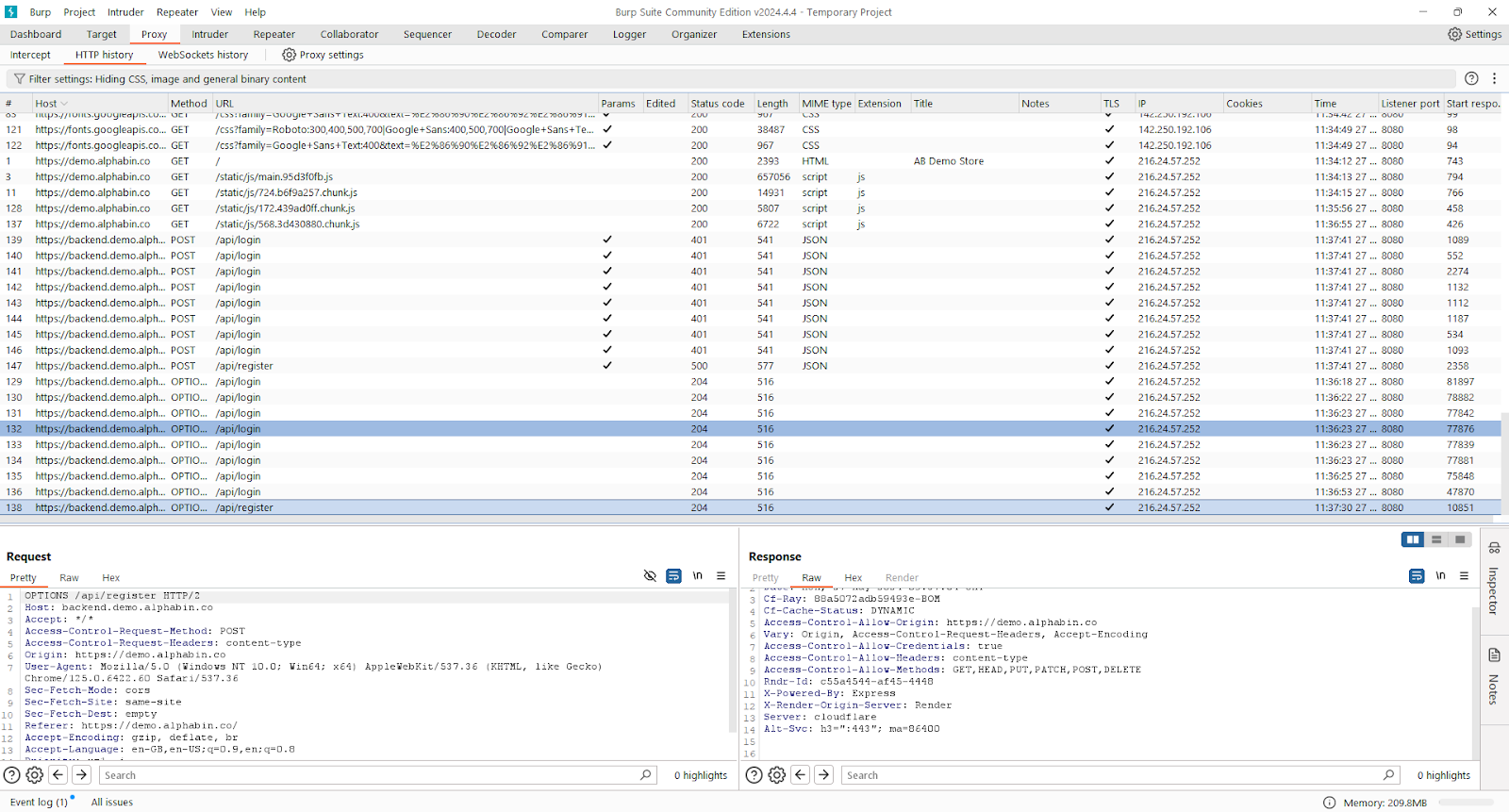
Let’s scan the demo.alphabin.co for the vulnerabilities.
4. Manually test and exploit vulnerabilities with tools like repeater and intruder. You can get more information on its official website.
OpenVAS (Open Vulnerability Assessment System)
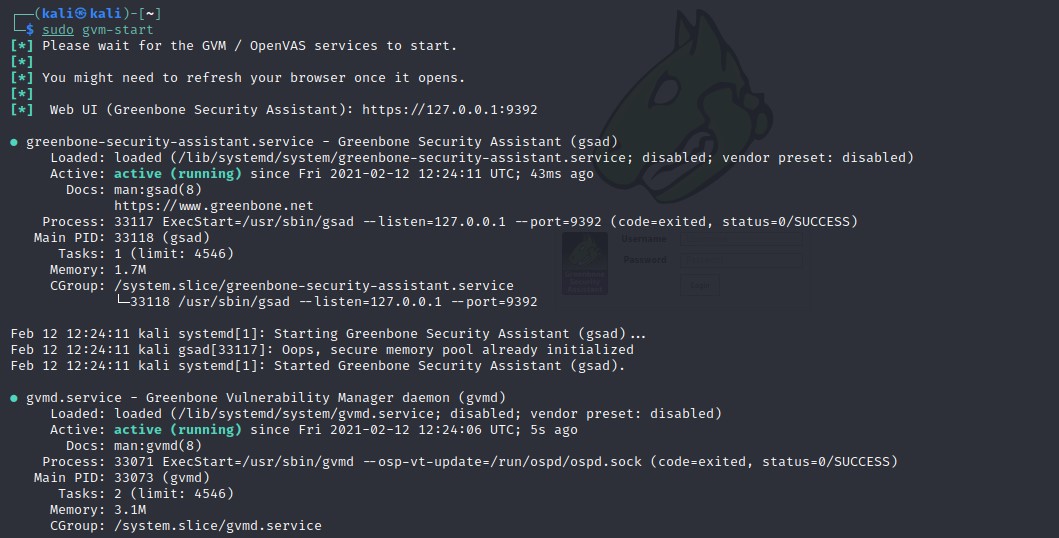
OpenVAS is a full-featured vulnerability scanner that identifies security issues in networked systems.
Features
Comprehensive vulnerability scanning.
Regular updates with new vulnerability checks and detailed vulnerability reports.
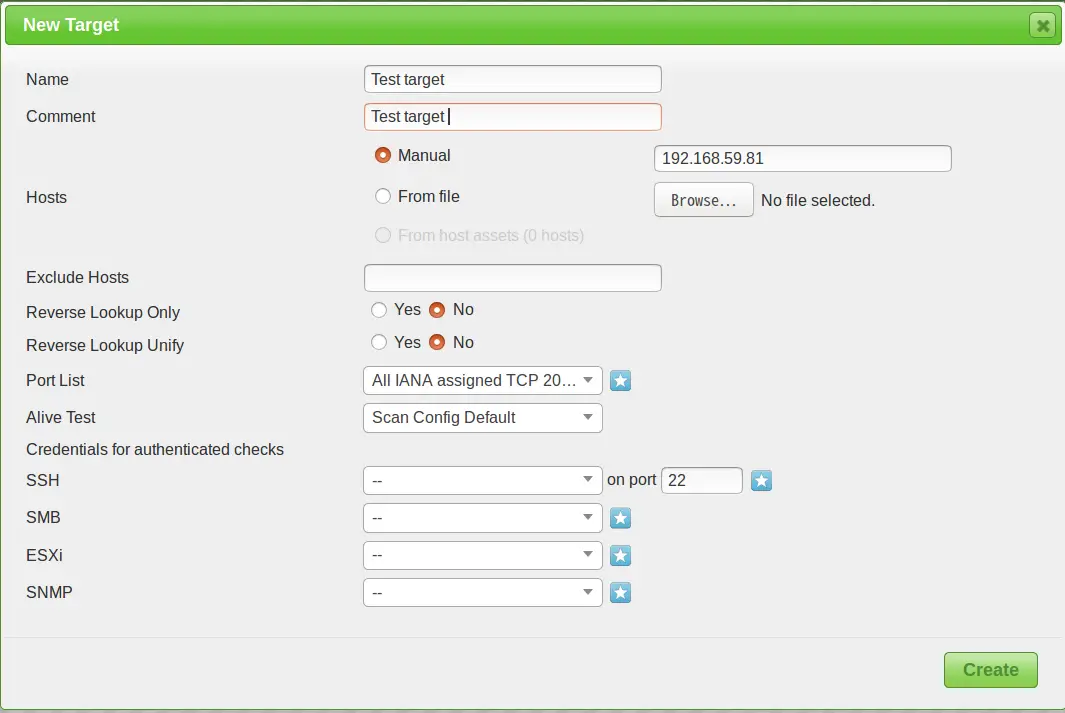
3. Create a new scan task and configure the target.
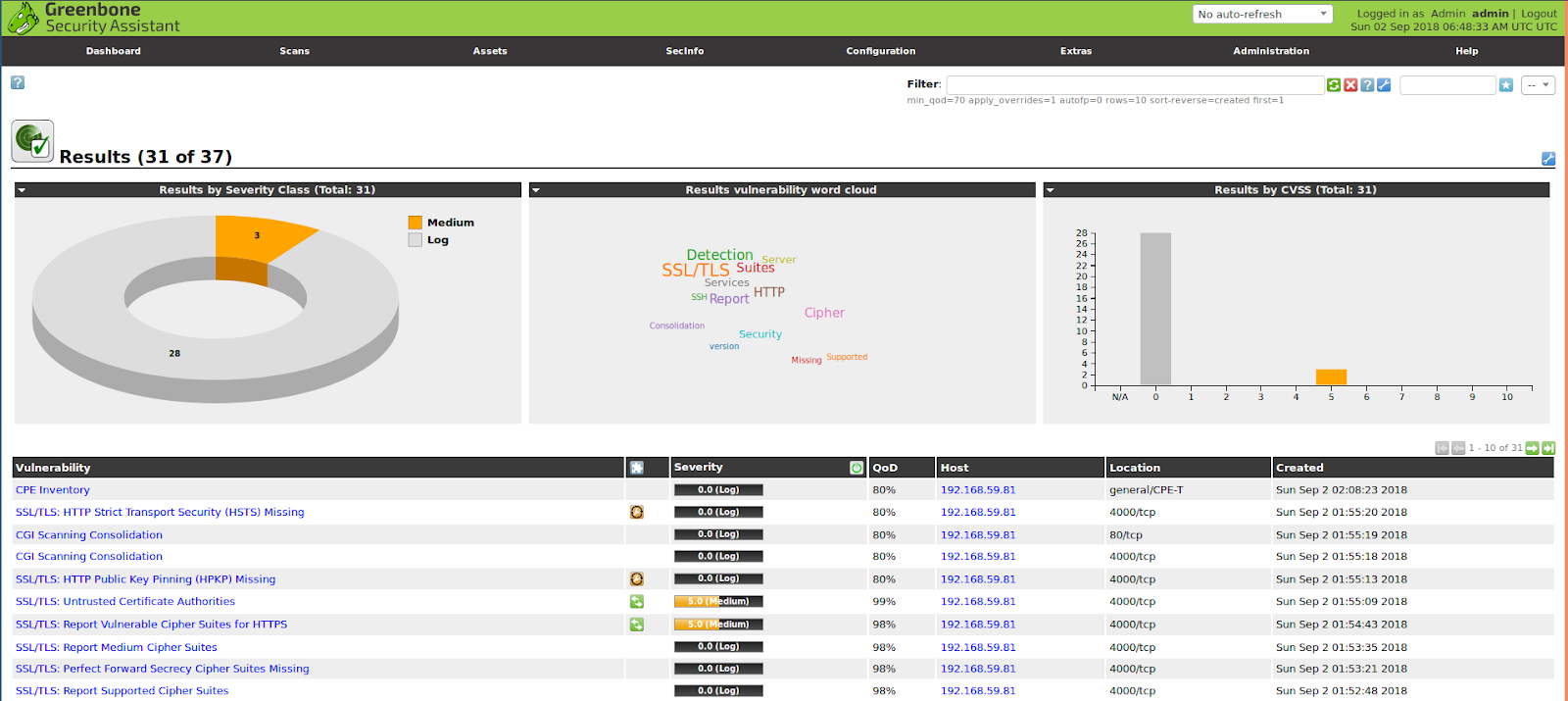
4. Run the scan and review the results.
Snort
Snort is an open-source intrusion detection systems and prevention system (IDS/IPS) that monitors network traffic.
Features
Real-time traffic analysis.
Packet logging.
Detection of various types of attacks.
Pros
Highly configurable.
Extensive rule set.
Strong community support.
Cons
Requires knowledge of network protocols.
Can generate false positives.
How to use it?
1. Install Snort on your system.
2. Configure the network interface and rules.
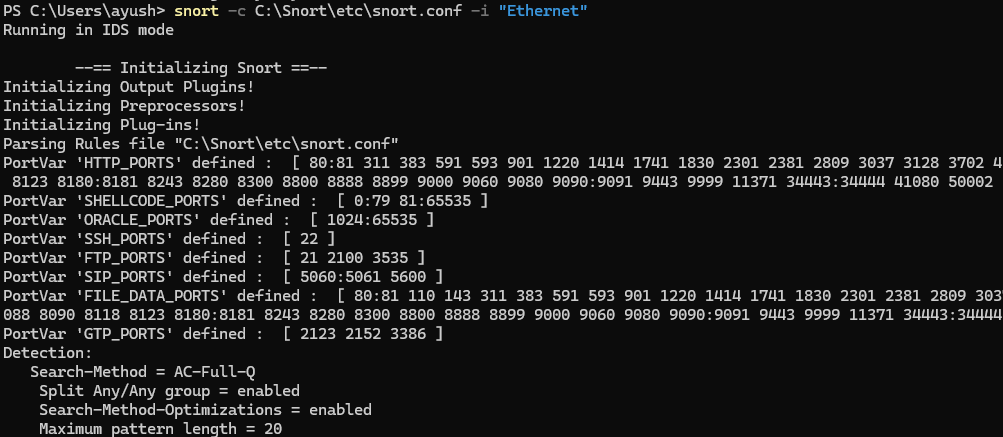
3. Start Snort in IDS mode to monitor traffic.
4. Analyze alerts and logs for potential threats.
Nikto
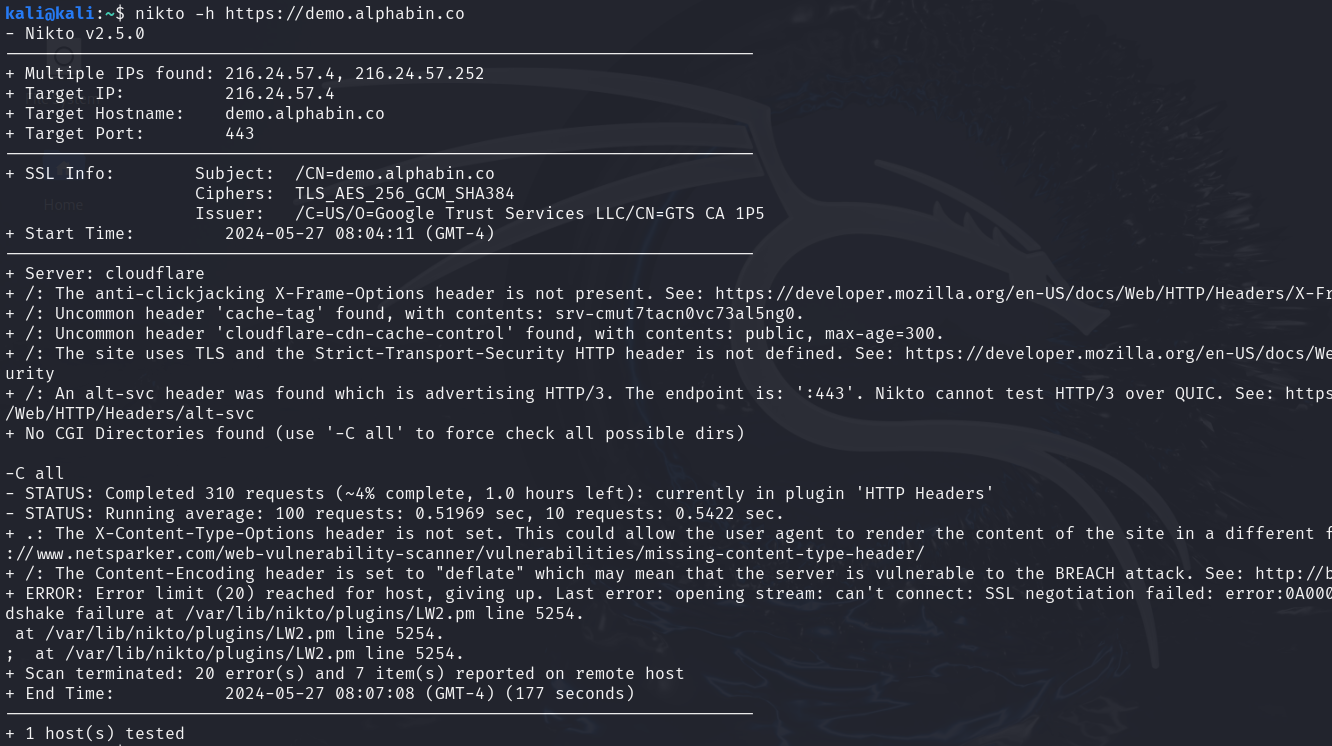
Nikto is a web server scanner that identifies vulnerabilities in web servers, applications, and web pages.
Features
Scans for over 6700 potentially dangerous files/CGIs.
Detects outdated server software.
Checks for server configuration issues.
Pros
Easy to use.
Comprehensive vulnerability checks.
Regular updates.
Cons
Can produce false positives.
Lacks advanced features of some other tools.
How to use it?
1. Install Nikto on your system.
2. Run Nikto with a target URL: nikto -h https://demo.alphabin.co.
3. Review the scan results for vulnerabilities.
SQLMap
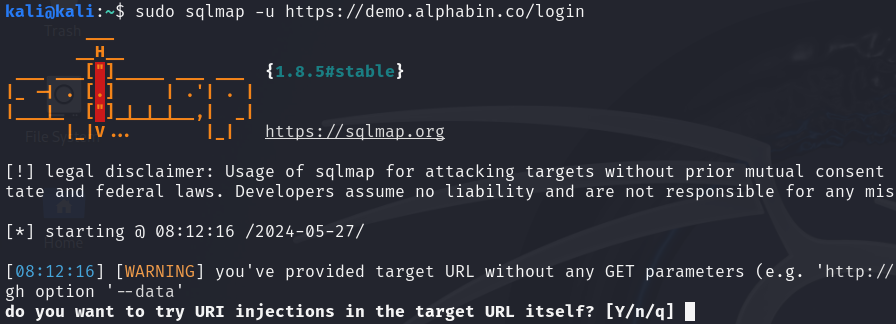
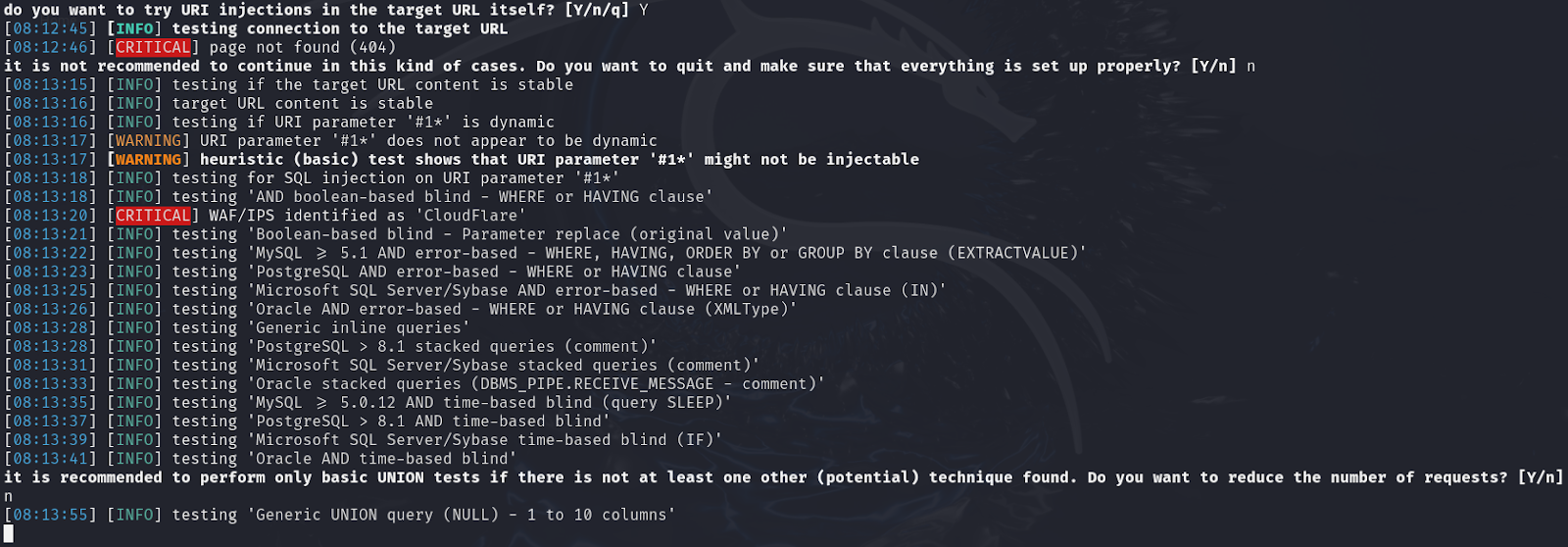
SQLMap is an automated tool for detecting and exploiting SQL injection flaws.
Features
Supports a wide range of databases.
Automated detection and exploitation of SQL injection.
Database fingerprinting and data extraction.
Pros
Highly automated.
Supports many database management systems.
Powerful exploitation features.
Cons
Can be complex for new users.
Requires careful configuration to avoid damaging the target database.
How to use it?
1. Install SQLMap on your system.
2. Run SQLMap with the target URL: sqlmap -u https://demo.alphabin.co/login.
3. Use additional options to customize the attack.
Suricata
Suricata is an advanced network threat detection engine, IDS, IPS, and network security monitoring system.
Features
Multi-threaded architecture.
Protocol identification and file extraction.
Real-time alerts and logging.
Pros
High performance.
Comprehensive threat detection.
Supports modern protocols and file types.
Cons
Complex to set up.
Requires regular rule updates.
How to use it?
1. Install Suricata on your system.
2. Configure network interfaces and rules.
3. Start Suricata in IDS mode to monitor traffic.
4. Analyze alerts and logs for suspicious activity.
Conclusion
Ensuring your website and applications are secure is vital in today’s digital world. The top 10 security testing tools—OWASP ZAP, Metasploit, Nmap, Wireshark, Burp Suite, OpenVAS, Snort, Nikto, SQLMap, and Suricata—offer powerful, cost-effective solutions for identifying and fixing vulnerabilities. However, managing these tools can be complex.
Alphabin Technology Consulting provides expert cybersecurity services to help you integrate and optimize these tools. Our team offers vulnerability assessments, mobile app pentesting, security audits, and ongoing monitoring. Partnering with Alphabin, our security teams ensure your security measures are robust and up-to-date, protecting your digital assets effectively.
Frequently Asked Questions
About the author
Ayush Mania
Offensive Security Specialist
Ayush Mania, an offensive security specialist at Alphabin, specializes in securing web applications and servers. With his expertise in penetration testing and red teaming, he leverages diverse security techniques to identify and fix vulnerabilities. A passionate learner, Ayush enjoys collaborating to achieve shared goals.
Vulnerability Assessment vs Penetration Testing: Key Differences
ByPratik Patel
Mar 12, 2025
Cyber threats are getting smarter, and businesses need to stay one step ahead. That’s where Vulnerability Assessments (VA) and Penetration Testing (PT) come in. Both play a crucial role in cybersecurity, but they’re not the same thing. Consider it this way: a vulnerability assessment is similar to a regular health check-up—it identifies potential problems early. Penetration testing, in contrast, is similar to a stress test—it tests the limits to determine if your security can withstand real-world attacks.
How to Create an Incident Response Plan for Your Business?
ByPratik Patel
Mar 8, 2025
The real challenge isn’t just avoiding an attack—it’s actually how quickly and successfully you can respond to one. A well-thought-out incident response plan (IRP) allows your company to detect threats, minimize damage, and resume operations without any significant downtime.
Role of Machine Learning in Detecting Cyber Threats
ByPratik Patel
Mar 6, 2025
Cyber threats are becoming smarter and more dangerous every day. Traditional security systems often miss new attacks, putting companies at risk. Imagine losing your company’s sensitive data overnight because of ransomware or customer information secretly stolen. These aren’t rare incidents; they happen every day!