

Modern software teams rely heavily on automation to maintain speed and quality. But as systems grow more complex, one question becomes increasingly important: Where should automation live?
The answer isn’t about tools, it’s about structure. And without a clear structure, even well-intentioned automation efforts can create more friction than confidence.
Let’s explore how to approach automation strategically, starting with why the choice of testing layer matters.
1. Why Choosing the Right Strategy Matters?
Automation testing is no longer optional for modern software teams. Continuous delivery, frequent releases, and growing system complexity demand fast, reliable feedback. Yet despite investing heavily in automation, many teams still struggle with slow pipelines, flaky tests, and accuracy issues. The issue often isn’t a lack of automation; it’s a lack of strategy.
A common pattern looks like this: a team decides to automate regression testing and starts with UI tests because they resemble real user behavior. At first, it feels productive. Tests simulate clicks, form submissions, and full workflows. Stakeholders feel reassured because “everything is covered”.
But over time, problems emerge. UI tests are slower to execute. They depend on browser rendering, selectors, and environment stability. Small interface changes break multiple scripts. Pipelines that once ran in 10 minutes now take 45. Engineers begin rerunning failed jobs, unsure whether failures indicate real defects or flaky automation. Confidence drops, not in the product, but in the tests themselves.
Choosing the right automation testing strategy is not about picking the most powerful tool or writing the most tests. It’s about deciding what to test, at which layer, and for what purpose. UI tests, API tests, and Unit tests each serve a different role. When used intentionally, they complement each other. When misused, they create duplication, slow feedback loops, and unnecessary maintenance costs.
2. The Test Pyramid Explanation
Before deciding what to automate, it’s important to understand how different types of automated tests fit together. This is where the Test Pyramid becomes useful.
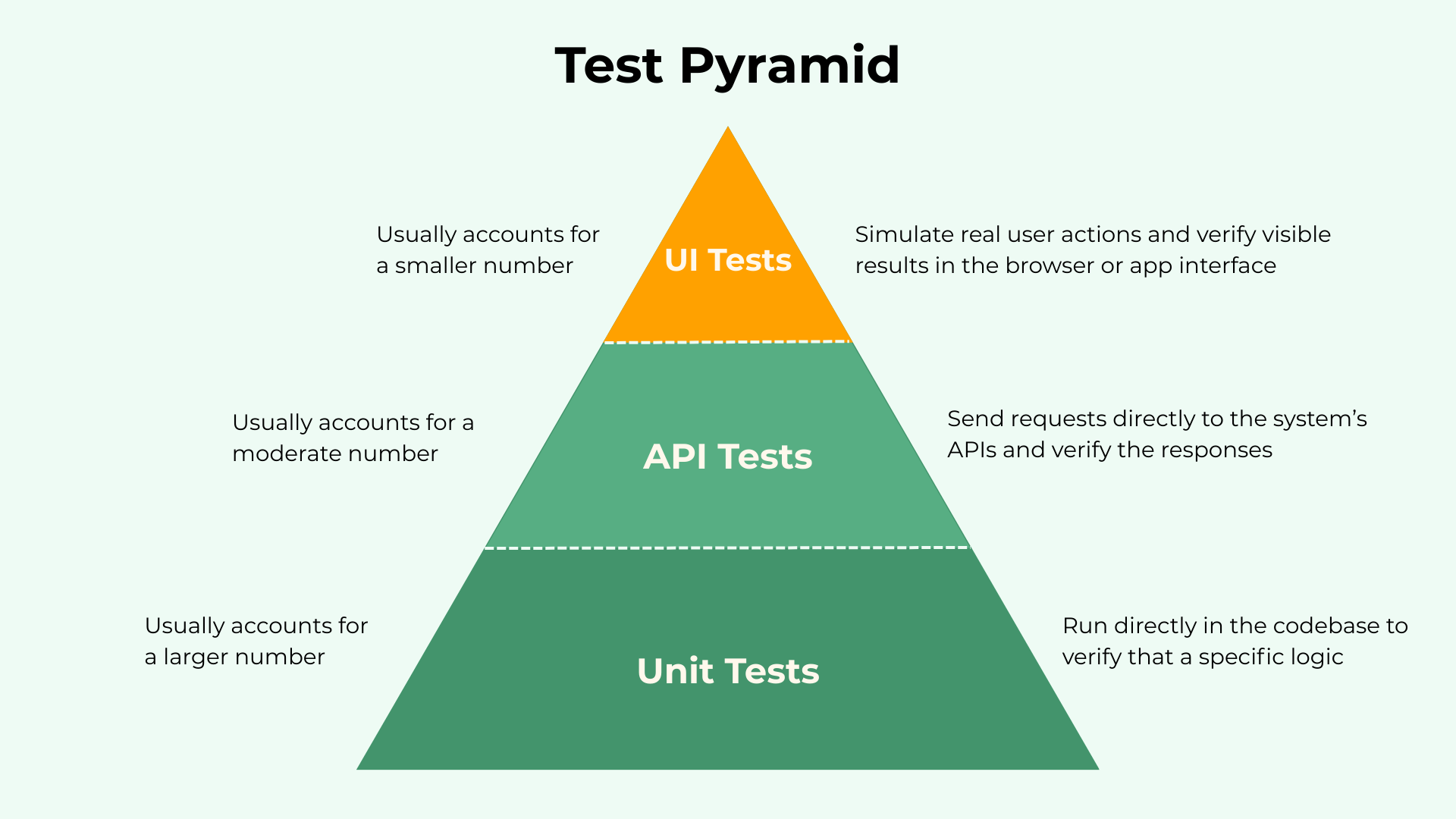
The Test Pyramid is a widely used model that suggests structuring automated tests in layers. At the base are fast, unit tests that validate core logic. In the middle are service or API tests that verify business behavior. At the top are UI tests that simulate real user interactions.
The key idea is simple: As tests move higher in the stack, they become slower, more complex, and more expensive to maintain.
A healthy automation strategy typically includes:
- A larger number of unit tests (fast and stable)
- A moderate number of API or service tests
- A smaller number of UI tests
UI Automation Testing
UI automation testing validates the application through the user interface. UI tests interact with the system the same way a real user would. These tests simulate real user actions such as clicking buttons, filling forms, navigating pages, and verifying visible results in the browser or app interface.
Imagine an e-commerce application, a UI automated test for checkout might have the following steps:
- Open the website
- Log in with valid credentials
- Search for a product
- Add it to the cart
- Enter shipping details
- Complete payment
- Verify that the confirmation page appears
When UI Automation Testing Is Useful
UI automation is most valuable when it is tied directly to the user experience.
- Critical business journeys like login, checkout, onboarding, or subscription activation. It acts as a safety net that ensures revenue-impacting flows never break due to a bad experience.
- Release smoke tests that confirm the system works from a real user’s perspective. It helps to validate that the application not only works internally, but is actually usable.
API Automation Testing
API automation testing validates the application at the service or backend layer. Instead of interacting through the user interface, these tests send requests directly to the system’s APIs and verify the responses. They focus on how the system behaves internally, including business logic, data processing, and integrations between services.
Imagine the same e-commerce application. An API automated test for checkout might have the following steps:
- Create a cart through the cart API
- Add products using product endpoints
- Apply a discount code
- Request price calculation
- Submit the order
- Verify the response status and total amount
- Confirm the order record is created in the database
When API Automation Testing Is Useful
API automation is most valuable when the goal is to validate internal business logic.
- Complex business rules such as pricing calculations, discount conditions, tax computation, inventory updates, or payment validation. Testing these at the API level isolates the logic and makes failures easier to diagnose.
- High-volume data combinations and edge cases. API tests run faster and handle multiple scenarios efficiently without increasing execution time significantly.
- Continuous integration pipelines that require fast feedback. API tests execute more quickly than UI tests, helping teams detect logic issues earlier in the development cycle.
Unit Automation Testing
Unit testing validates the smallest testable parts of an application, such as individual functions, methods, or classes. These tests focus on isolated pieces of logic without involving external systems like databases, APIs, or user interfaces. Unit tests run directly in the codebase and are designed to verify that a specific piece of logic behaves as expected.
Imagine the same e-commerce application. A unit test for pricing logic might have the following steps:
- Call the price calculation function
- Provide product price, quantity, and discount percentage
- Apply tax rules
- Verify that the final calculated amount matches the expected result
When Unit Automation Testing Is Useful
Unit testing is most valuable when the goal is to validate core logic.
- Business rules such as pricing formulas, discount calculations, tax computation, or validation rules. These can be tested in isolation with immediate feedback.
- Rapid feedback during development. Unit tests execute in milliseconds and help developers detect issues before code is integrated into larger systems.
- High test coverage at low cost. Because they are fast and stable, teams can maintain a large number of unit tests without slowing pipelines.
3. How To Choose the Right Strategy
Choosing the right automation strategy is not about maximizing test count. It is about reducing risk while maintaining fast, reliable feedback. The goal is to build confidence without slowing delivery.
Here is a list of practical tips teams can use.
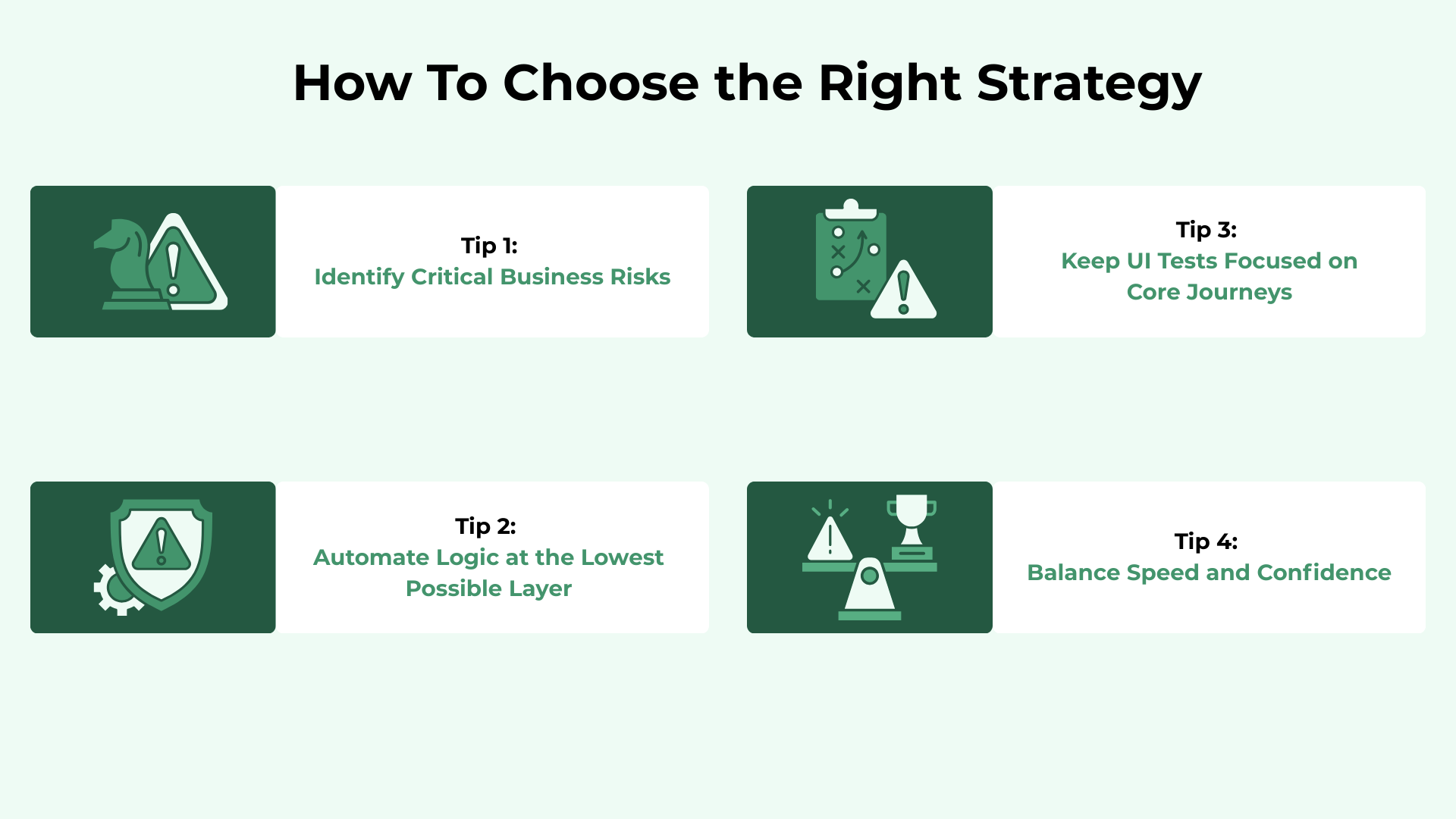
Tip 1: Identify Critical Business Risks
Strategy begins with risk awareness. You should start with business impact, not test types. You can ask several questions:
- What flows generate revenue?
- What functionality directly affects customer trust?
- What failures would block users completely?
For an e-commerce platform, checkout failure is a high risk.
For a SaaS product, login and subscription activation are critical.
For a banking system, transaction processing must be flawless.
These high-risk flows should be protected with UI tests and, when necessary, integration coverage. They deserve visibility at the top of the pyramid because the impact of failure is significant.
Tip 2: Automate Logic at the Lowest Possible Layer
“If it can be tested at API, don’t test it via UI”. This is one of the most important principles of sustainable automation.
Business rules, pricing calculations, validation logic, and data transformations should be tested at the unit or API level whenever possible. These layers provide:
- Faster execution
- Easier debugging
- Lower maintenance cost
- Earlier defect detection
If a pricing formula changes, validating it through a unit test gives immediate feedback. Testing it through a full UI checkout flow adds unnecessary complexity and slows the pipeline.
Lower layers should carry the majority of validation responsibility. Higher layers should confirm integration and experience, not replace logic testing.
Tip 3: Keep UI Tests Focused on Core Journeys
UI tests are powerful but expensive. Think of UI tests as confidence checkpoints, not exhaustive coverage mechanisms.
They should protect essential journeys such as:
- Login
- Checkout
- Onboarding
- Subscription flows
- Any journey that directly affects user experience
They should not validate every edge case or data variation. When overloaded with logic validation, it becomes fragile and slow.
Tip 4: Balance Speed and Confidence
Automation strategy is ultimately about trade-offs. More tests do not automatically mean more confidence. Slow pipelines, frequent false failures, and complex maintenance reduce trust in the system.
A well-balanced strategy ensures:
- Unit tests provide depth and speed
- API tests provide strong business validation
- UI tests provide real-user confidence
When these layers complement each other, teams achieve fast feedback without sacrificing reliability. The goal is not maximum coverage at the highest level. The goal is optimal confidence delivered efficiently.
Final Thoughts
Automation is not about having more tests. It’s about having the right tests at the right level. When balanced properly, these layers provide fast, reliable confidence. When misused, they create slow pipelines and fragile suites. The goal isn’t maximum coverage at the top of the pyramid. It’s optimal confidence delivered efficiently. Choose your layers intentionally, and your automation will accelerate delivery instead of slowing it down.


.svg)


.svg)




.svg)